












Official Memo Casino Mobile Application: Native iOS & Android Platform with Enhanced Performance
The official Memo Casino mobile application delivers our complete platform proposition through native software optimized for iOS and Android devices, providing an alternative to browser-based access with enhanced performance characteristics. This dedicated app replicates every feature available on our website, from the full 6,000+ game library to secure financial transactions and account management capabilities. Users who download the application from official stores gain access to exclusive features including biometric authentication, push notifications for time-sensitive offers, and optimized performance through native code execution. The app represents Memo commitment to accessibility, ensuring our gaming proposition remains available wherever and whenever players choose to engage.
Application Purpose and Functionality
The core purpose of the Memo Casino mobile application is delivering complete platform functionality through software optimized specifically for mobile operating systems. Unlike responsive websites that adapt desktop interfaces for smaller screens, native applications are built from the ground up for touch-based interaction and mobile hardware utilization. This architectural difference translates into measurable performance improvements and enhanced user experiences during typical gaming sessions.
Functional scope within the application mirrors desktop capabilities entirely. Users access the complete catalog of 6,000+ games without restrictions or mobile-specific limitations. Account registration for new users processes directly through the app, eliminating the need to visit the website. Existing account holders log in using identical credentials across all platforms, with account data synchronizing in real time. The integrated financial cashier supports all payment methods available on the website, with identical deposit limits and withdrawal procedures. Promotional offers display through a dedicated section, allowing bonus claims and tournament entries without leaving the app environment.
- Full Game Access: The entire game library loads through the application interface, with titles optimized for mobile screen dimensions and touch controls. Vertical and horizontal orientations are supported, with games adapting automatically to current device positioning. Game loading times often improve compared to browser access due to efficient asset caching and native code execution.
- Account Management: Registration, login, profile editing, and verification document submission all process through dedicated app interfaces. Password changes, email updates, and communication preference adjustments function identically to desktop options. Transaction histories display with full filtering capabilities, providing comprehensive financial transparency within the mobile environment.
- Financial Transactions: Deposit and withdrawal operations utilize secure interfaces integrated directly into the app architecture. Payment method selection, amount entry, and transaction confirmation proceed through encrypted channels protected by the same SSL standards as desktop banking. Transaction status tracking provides real-time updates on pending deposits and withdrawal processing stages.
- Promotional Access: Bonus offers display through a promotional hub within the app, showing available offers, active bonus progress, and completed promotion histories. Code entry for promotional claims integrates into the deposit flow, with validation occurring before transaction completion to ensure proper bonus activation.
- Support Access: Live Chat integration allows direct communication with support representatives without leaving the app. The chat interface maintains conversation history across sessions, enabling continued discussions about ongoing issues. Email support remains accessible through linked contact forms that pre-populate account information for faster case handling.
This comprehensive functionality ensures that choosing the app over browser access involves no compromise in capability. The decision reduces to personal preference regarding interface style and technical performance characteristics rather than feature availability.
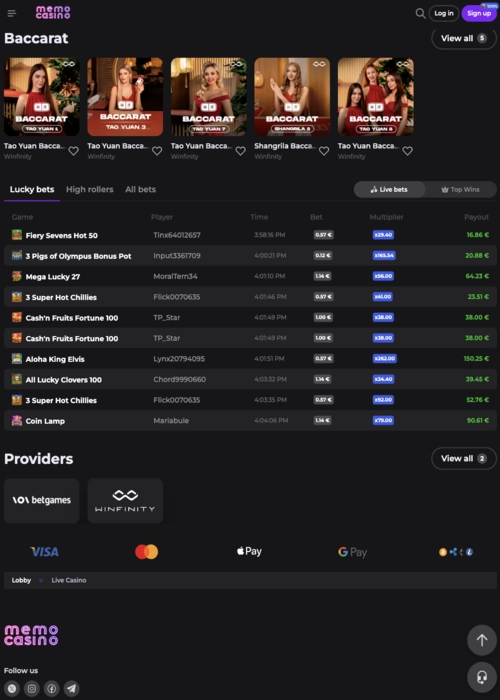
Technical Advantages of the Native Application
Native development methodology produces applications that execute directly on device operating systems rather than through browser interpretation layers. This direct execution model enables more efficient hardware resource utilization, translating into concrete performance benefits observable during typical usage. Understanding these technical advantages helps users appreciate why many prefer app-based access despite functional parity with browser alternatives.
Performance Optimization
Native code execution allows the Memo Casino application to leverage device hardware more efficiently than browser-based alternatives. Graphics rendering utilizes device GPU capabilities directly, producing smoother animations and faster game loading sequences. Memory management optimizes for mobile constraints, reducing the likelihood of performance degradation during extended gaming sessions. Asset caching stores frequently accessed graphics, sounds, and game files locally, eliminating redundant downloads and accelerating subsequent game launches.
Enhanced Security Features
Integration with device-level security systems provides authentication options unavailable to browser-based interfaces. iOS users can enable Face ID authentication, replacing manual password entry with facial recognition scans. Android devices support fingerprint scanner integration, offering similar convenience with biometric verification. These methods combine enhanced security with improved user experience, as biometric authentication typically completes faster than typing complex passwords while providing stronger identity verification.
Push Notification System
The opt-in notification framework delivers timely alerts directly to device notification centers, independent of whether the app is currently active. Deposit confirmations, withdrawal status updates, and promotional announcements arrive as push notifications, ensuring awareness of important account events. Users control notification preferences granularly, enabling alerts for specific event types while silencing others. This system proves particularly valuable for time-sensitive promotions or tournament start reminders, as notifications arrive regardless of app usage status.
Installation and System Requirements
Application distribution occurs exclusively through official platform stores maintained by Apple and Google. This controlled distribution model ensures that downloaded software matches exactly the version we published, preventing malware injection or unauthorized modifications. Installation procedures follow standard app store protocols, with automatic updates maintaining current versions as improvements are released.
For iOS devices running iPhone or iPad operating systems, navigate to the App Store application pre-installed on all Apple mobile devices. Search for "Memo Casino" using the store's search function. Verify the publisher information matches our official company name before initiating download. iOS 13.0 or higher is recommended for optimal performance, though older versions may maintain basic compatibility. Installation size typically ranges between 80-120 MB depending on version, requiring adequate free storage space on the device.
Android users access the Google Play Store application available on all certified Android devices. Search functionality locates the official Casino Memo listing, which should display our verified publisher badge confirming authenticity. Android 8.0 or higher ensures full feature compatibility, with newer versions providing better performance characteristics. Installation permissions requested during setup enable necessary functionality such as network access for gameplay, storage access for caching, and notification delivery for alert systems.
Detailed Technical Comparison: App vs. Mobile Website
While both access methods deliver complete functionality, technical implementation differences create distinct user experiences. This comparison highlights the practical implications of choosing native app access versus browser-based mobile interaction, helping users select the approach best suited to their preferences and usage patterns.
| Feature / Aspect | Official Memo Casino App | Mobile Website (Browser-Based) |
|---|---|---|
| Installation | Required (one-time) | Not Required |
| Home Screen Access | Yes (Dedicated Icon) | No (Requires opening browser) |
| Performance | Optimized: Faster load times, smoother UI. | Standard: Performance depends on browser and network. |
| Biometric Login | Supported (Face ID / Fingerprint) | Not Supported |
| Push Notifications | Supported (for exclusive offers & alerts) | Not Supported |
| Data Usage | More Efficient (caches static assets) | Less Efficient (re-downloads assets) |
| Offline Access | Limited (can access account info) | None (requires constant connection) |
| Game Library | Full Access | Full Access |
| Banking & Support | Full Access | Full Access |
| Security | SSL Encryption + Device-Level Security | SSL Encryption Only |
The technical advantages of native apps become most apparent during extended usage periods. Cumulative time savings from faster loading, combined with convenience factors like biometric login and persistent notification access, create meaningfully improved experiences for frequent users. Casual players accessing the platform infrequently may find browser access sufficient, while regular users typically appreciate the refinements native applications provide.
Managing Your Account via the App
Complete account management capabilities integrate into the application interface through dedicated dashboard sections. Balance displays remain constantly visible at the top of the screen, updating in real time as deposits process or gameplay progresses. Transaction history access requires just a few taps, displaying comprehensive records with filtering options for date ranges and transaction types. Responsible gaming limit configuration proceeds through intuitive forms matching desktop functionality, with changes taking effect immediately upon confirmation.
Profile information editing follows streamlined mobile-optimized forms. Verification document uploads utilize device camera integration, allowing users to photograph identification documents directly within the app rather than uploading pre-existing files. This camera integration streamlines the KYC process significantly, particularly for users who lack scanner access. Loyalty point balances and tier status display prominently, with detailed breakdowns showing points earned from recent gaming sessions and progress toward the next membership level.
Official Software Disclaimer
The application described on this page represents the only legitimate software endorsed and distributed by Memo Casino. We maintain no partnerships with third-party app developers or alternative distribution channels. Any application claiming Casino Memo affiliation found outside official App Store or Google Play listings should be regarded as potentially fraudulent and avoided. Unofficial software may contain malware, steal login credentials, or fail to properly secure financial transactions.
Our official app listings display verified publisher badges confirming authenticity. The developer name matches our corporate entity exactly, and official app store descriptions include specific security information and feature lists matching the documentation on this page. When in doubt about application authenticity, users should contact our support team for verification before installation. We take intellectual property protection and user security seriously, pursuing legal action against entities distributing unauthorized software using our branding.
Data Security and Privacy on the Mobile App
Security protocols implemented within the Memo Casino application mirror those protecting our desktop platform. All data transmission between the app and our servers travels through 256-bit SSL encrypted tunnels, rendering intercepted communications unreadable to unauthorized parties. Login credentials are never stored in plain text on devices, instead utilizing secure keychain systems provided by iOS and Android operating systems. These system-level storage mechanisms employ hardware-backed encryption on supported devices, providing additional security layers beyond our application-level protections.
Privacy policies governing data collection and usage apply identically across all access methods. The app collects only information necessary for service provision: account credentials for authentication, device identifiers for security monitoring, and basic analytics about feature usage for performance optimization. We do not sell user data to third parties or share personal information beyond requirements for payment processing and regulatory compliance. Location data collection occurs only if users explicitly grant permission, and can be revoked through device settings at any time without affecting core platform functionality.
User Interface and Experience (UI/UX) Design
Interface design within the application prioritizes mobile-specific interaction patterns rather than simply shrinking desktop layouts. Touch targets are sized appropriately for finger-based navigation, with spacing preventing accidental taps on adjacent interface elements. Navigation follows iOS and Android platform conventions, ensuring the app feels native to each operating system rather than presenting a generic cross-platform interface. Game thumbnails scale appropriately for mobile screens while maintaining visual clarity, and text remains readable without zooming even on smaller smartphone displays.
Gesture controls enhance navigation efficiency. Swipe gestures navigate between sections, while pull-to-refresh updates game listings and promotional offers. Long-press actions reveal contextual menus for game favorites and quick-access shortcuts. These mobile-optimized interaction methods reduce the number of taps required for common tasks, streamlining workflows compared to browser-based interfaces where mobile gestures may conflict with browser navigation functions. The result is an experience tailored specifically for mobile usage patterns rather than adapted from desktop paradigms.